Your last team meeting ended with five action items scattered across handwritten notes, and now you're staring at a blank agenda template for next week. Sound familiar?
Most teams waste precious minutes at the start of each meeting trying to reconstruct what happened previously. Meeting transcripts to agendas solve this by capturing every spoken word, then using AI to automatically generate structured agendas with precise context and clear action items.
What Is AI Meeting Agenda Generation?
AI meeting agenda generation analyzes recorded conversations to automatically create structured agendas for follow-up meetings. The process converts spoken words into timestamped text, then extracts discussion topics, decisions, and action items to build your next meeting's roadmap.
This transcript agenda workflow eliminates the guesswork that typically happens between meetings, where important details get lost or misremembered.
The Problem with Traditional Meeting Follow-ups
Here's what happens in most organizations: someone takes notes during the meeting (usually poorly), then spends another 30 minutes after the meeting trying to remember what was actually decided. By the time the next meeting rolls around, half the context is lost.
I've watched teams spend the first 10 minutes of every meeting just catching up on what happened previously. That's valuable time that could be spent on productive discussion instead of reconstruction.
Meeting transcripts change this dynamic completely. When you have a complete record of who said what and when, AI can identify patterns and extract actionable items automatically.
How AI Transforms Transcripts Into Agendas
The technical process happens in three stages, and understanding each helps you get better results.
Stage 1: Accurate Transcription with Speaker Labels
First, you need clean, timestamped text with speaker identification. Upload your meeting recording to a transcription platform that handles speaker diarization automatically. Within minutes, you get a complete transcript where every statement is attributed to the correct speaker.
The quality here determines everything downstream. Poor audio with multiple people talking simultaneously creates transcript errors that confuse AI analysis later.
Stage 2: AI Content Analysis
Next, AI models scan the transcript for specific patterns:
- Action items ("I'll handle the budget review by Friday")
- Open questions ("We still need to decide on the vendor")
- Key decisions ("Let's move forward with Option B")
- Discussion topics that consumed significant time
Modern AI chat features excel at this analysis. You can ask questions like "What action items were assigned?" or "Which topics took the most discussion time?" The AI references specific timestamps and quotes from your transcript.
Stage 3: Structured Agenda Creation
Finally, the system organizes extracted information into your standard agenda format. Action items become follow-up discussion points. Open questions get scheduled for resolution. Previous decisions provide context for new topics.
Transcript Quality: The Foundation That Makes Everything Work
Your automated meeting agendas are only as good as your transcript accuracy. Three factors make the biggest difference:
Audio Quality Fundamentals
Invest in decent microphones. That $30 USB mic beats your laptop's built-in microphone every time. Background noise and echo destroy transcription accuracy faster than anything else.
Establish speaking norms: one person talks at a time, use mute when not speaking, speak clearly toward the microphone. These simple rules can boost accuracy significantly.
Language and Terminology Setup
Your industry terms, product names, and company acronyms need special handling. Otherwise "API integration" becomes "a pie integration" in your transcript.
Most platforms support multiple languages with auto-detection, but you can manually specify your language if the meeting includes technical jargon or industry-specific terminology.
Speaker Identification Accuracy
Knowing who said what matters for agenda creation. When AI sees "John will handle the client presentation," it can assign that action item correctly in the next agenda.
Speaker identification works well even with similar-sounding voices on quality platforms. You can rename speakers after transcription to match real names.
Step-by-Step: Converting Your Meeting Recording
Here's the exact workflow I use to turn meeting recordings into structured agendas:
Step 1: Upload Your Recording
Log into your transcription platform and upload your meeting file. Most platforms accept multiple audio and video formats, so whatever your meeting platform records will work.
For a typical 60-minute team meeting, transcription completes in under 10 minutes with word-level timestamps.
Step 2: Review and Clean the Transcript
Scan through the transcript for obvious errors, especially around technical terms or names. Quality platforms let you edit the transcript directly in the browser.
Rename speakers from generic labels (Speaker A, Speaker B) to actual names. This makes the agenda much more useful.
Step 3: Extract Key Information with AI Chat
Use AI analysis to examine your transcript:
- "List all action items with who is responsible"
- "What topics generated the most discussion?"
- "Which decisions were made and what was the reasoning?"
- "What questions remained unresolved?"
The AI responds with specific timestamps and quotes, giving you exact references.
Step 4: Structure Your Next Agenda
Organize the extracted information into your standard agenda template:
- Action item follow-ups (with responsible parties)
- Unresolved questions for decision
- New topics that emerged from previous discussion
- Context snippets from the transcript
Step 5: Export and Distribute
Export your agenda as a DOCX or PDF. Include relevant transcript excerpts for context, but keep them brief - a sentence or two maximum.
Comparing Transcript-to-Agenda Solutions
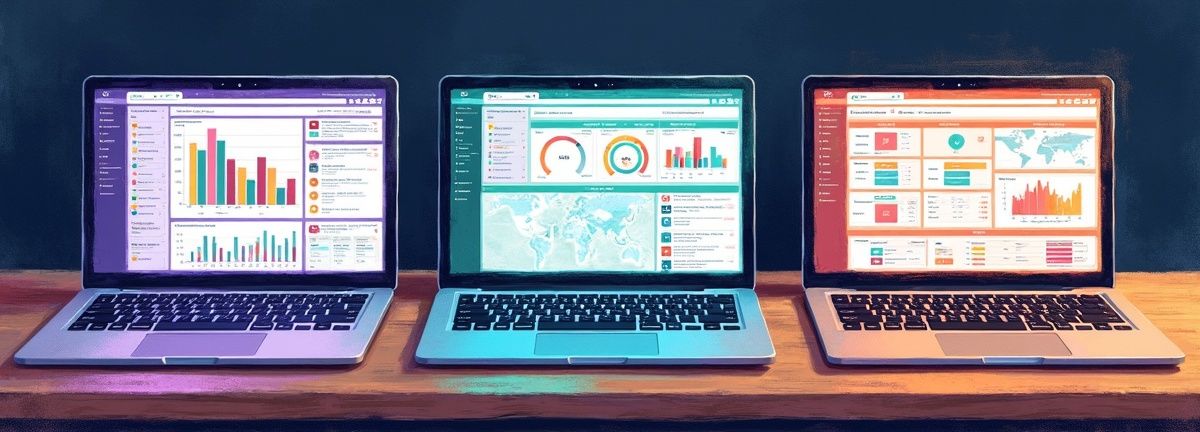
Several platforms offer meeting transcription with agenda features, but they take different approaches:
Otter.ai
Otter excels at real-time transcription during live meetings. Their AI summary feature pulls out action items automatically. However, accuracy can drop with technical terminology, and speaker identification struggles with larger groups.
Best for: Small team meetings with non-technical discussion
Rev
Rev combines AI with human review for high accuracy. Their turnaround time is longer (hours instead of minutes), but transcript quality is excellent. They don't offer built-in agenda generation features.
Best for: Important meetings where accuracy matters more than speed
Scriptivox
Scriptivox balances speed, accuracy, and analysis features. Upload a file and get word-level timestamps in minutes, with AI chat for custom analysis questions. The combination of fast transcription with flexible AI questioning makes agenda creation straightforward.
Best for: Teams wanting both accurate transcripts and flexible analysis options
Trint
Trint offers good editing interfaces and collaboration features. Their AI analysis is more basic compared to dedicated meeting platforms.
Best for: Content teams who need collaborative transcript editing
Implementation Strategy for Your Team
Rolling out transcript-to-agenda workflows requires more than just picking a tool. Here's what works:
Start with Meeting Templates
Not every meeting type needs the same agenda structure. Your daily standup requires different information than your quarterly planning session.
Create templates for each meeting type:
- Daily standups: Previous day's blockers, today's priorities, help needed
- Project reviews: Progress updates, timeline changes, resource needs
- Client calls: Feedback discussion, next steps, timeline confirmation
Train Your Team on Speaking Patterns
AI extracts action items better when people state them clearly. Train your team to say "I will handle X by Y date" instead of "maybe I can look into that sometime."
Similarly, decisions should be stated explicitly: "We've decided to go with Option B" works better than "I guess B makes sense."
Establish Review Protocols
AI-generated agendas are strong starting points, not final products. According to Harvard Business Review, effective meetings require human oversight of AI outputs. Assign someone to review each agenda before distribution, adjusting priorities and adding context the AI might miss.
This review should take 3-5 minutes maximum. If it takes longer, your transcript quality or AI prompts need improvement.
Advanced Workflows with Automations
Once your basic transcript-to-agenda process works smoothly, you can automate the workflow further. Scriptivox offers automation triggers that activate when transcription completes. Set up a workflow that:
- Automatically runs AI analysis on completed transcripts
- Extracts action items and formats them for your project management tool
- Creates calendar events for follow-up discussions
- Sends formatted agendas to team communication channels
The automation handles routine processing while humans focus on strategic agenda refinements.
Common Pitfalls and Solutions

Even with good tools, several issues can derail speech to text meeting notes workflows:
Information Overload
Long meetings create massive transcripts that overwhelm agenda systems. Solution: Configure your AI to extract only the top 5-7 items for agendas. Additional items can go in a separate "parking lot" document.
Context Loss
AI might extract "John will handle the presentation" but miss that it's specifically the Q3 budget presentation for the board meeting. Solution: Include brief context snippets from the transcript alongside action items.
Technical Terminology Confusion
Industry jargon gets transcribed incorrectly, leading to confused agenda items. Solution: Maintain a custom vocabulary list for your transcription platform and review transcripts before AI analysis.
Follow-through Gaps
Agendas get created but action items still fall through cracks. Solution: Integrate with your existing project management system so action items automatically become tracked tasks.
Measuring Success and ROI
How do you know if transcript-to-agenda automation actually improves your meetings? Track these metrics:
Time Savings
Measure agenda preparation time before and after implementation. Research from MIT Sloan shows that structured meeting preparation significantly reduces meeting duration.
Meeting Efficiency
Track how much time meetings spend on "catching up" versus productive discussion. Well-prepared agendas should reduce catch-up time significantly.
Action Item Completion
Compare action item completion rates before and after implementing systematic tracking through transcripts.
Team Feedback
Survey participants about meeting preparation and follow-through. Improved context and clear expectations should boost satisfaction scores.
Getting Started
You can test this workflow with platforms that offer free trials. Many transcription services provide sample transcriptions to test their AI analysis capabilities before committing to paid plans.
Start with one meeting type and one volunteer team. Let their success demonstrate value before rolling out broadly.
Best Practices for Long-term Success
Successful transcript agenda workflow implementation requires consistent habits:
- Record every meeting, even short ones. The data compounds over time.
- Review AI-generated agendas before distribution. Accuracy improves with human oversight.
- Train speakers to state action items and decisions clearly.
- Integrate with existing project management tools to avoid duplicate work.
- Regular audio equipment checks prevent transcript quality issues.
The Project Management Institute emphasizes that meeting effectiveness depends on preparation and follow-through - exactly what automated meeting agendas from transcripts provide.
Transcript-to-Agenda Solutions
| Platform | Best For | Strengths | Limitations |
|---|---|---|---|
| Otter.ai | Small team meetings | Real-time transcription, AI summaries | Struggles with technical terms, large groups |
| Rev | Important meetings | High accuracy with human review | Longer turnaround, no agenda features |
| Scriptivox | Balanced needs | Fast transcription, flexible AI analysis | Word-level timestamps, custom questions |
| Trint | Content teams | Good editing, collaboration features | Basic AI analysis compared to others |
Frequently Asked Questions
About the author

Abhishek co-founded Scriptivox and built its early optimization and scalability layer — the part that turns a working transcription tool into one that holds up under real load. Today he leads growth and marketing at Scriptivox. He writes about transcription accuracy, multi-language coverage, and what it takes to build an AI transcription product that stays fast and reliable as it scales.