I lost a $50K deal because I was too busy scribbling notes to notice the client asking about implementation costs three times. Each time they asked, I'd mumble "mm-hmm" while frantically writing down technical requirements. By the fourth ask, they'd given up. The deal went to a competitor who actually listened.
That was 2019. Today, I watch sales reps make the same mistake, choosing between being present in the conversation or capturing the details. The good news? You don't have to choose anymore.
What Is AI Note Taking for Sales?
AI note taking for sales uses speech-to-text technology to automatically transcribe sales calls, then applies artificial intelligence to extract key information like pricing discussions, objections, next steps, and decision-maker insights. Instead of manual note-taking during calls, the AI handles transcription and analysis while you focus on selling.
The Real Cost of Manual Note-Taking in Sales
Most sales content talks about "efficiency gains" and "time savings." Let's get specific about what manual note-taking actually costs you.
First, cognitive load. Your brain can't fully process a prospect's tone, hesitation, or buying signals when 30% of your mental capacity is dedicated to capturing what they said about budget approval processes. You miss the micro-expressions that signal interest or the pause that means they're ready to buy.
Second, data rot. That chicken-scratch handwriting from Tuesday's discovery call? By Friday, you're staring at it wondering if they said "Q1 timeline" or "Q4 timeline." Without accurate records, your follow-up emails are generic instead of addressing their specific concerns.
Third, CRM neglect. When note-taking is manual, updating Salesforce becomes the task you do at 6 PM on Friday. Half the details are wrong, opportunity stages aren't updated, and your sales manager has no visibility into deal health.
Recording Sales Calls: The Technical Foundation
Before diving into AI analysis, you need clean audio. Most sales reps think any recording will work. Wrong. Poor audio quality creates transcription errors that cascade into bad data and missed insights.
Platform Integration
Modern sales teams primarily use Zoom, Google Meet, or Microsoft Teams. The best AI note-taking tools integrate directly with these platforms through calendar connections. When your AI tool sees a meeting on your calendar, it automatically joins, introduces itself, and starts recording with participant consent.
I prefer tools that announce themselves clearly: "Hi, this is the AI assistant recording today's call for notes and follow-up." Transparency prevents the awkward "wait, are we being recorded?" moment mid-conversation.
Audio Quality Considerations
For accurate transcription, your AI tool needs clear speaker separation. This is why I always recommend:
- Individual microphones over conference room speakers when possible
- Asking participants to identify themselves when they first speak
- Using tools that can handle overlapping speech (common in group sales calls)
Compliance and Legal Framework
Sales call recording laws vary by location. Most U.S. states require one-party consent (you can record if you're participating). However, states like California require all parties to consent. Internationally, GDPR in Europe requires explicit consent.
The practical solution? Use AI tools that handle consent automatically by announcing recording at the start of calls and providing easy opt-out options.
Workflow: From Recording to CRM Data
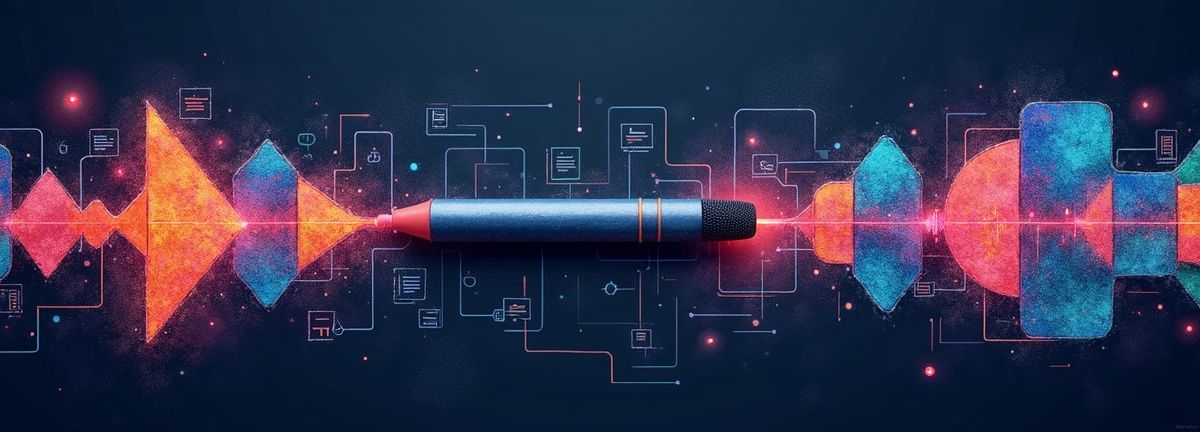
Here's the complete workflow I use with Scriptivox to transform sales calls into actionable CRM data:
Step 1: Automated Recording Setup
I connect my Google Calendar to automatically capture all sales calls. When a meeting starts, the system joins, announces recording, and begins transcription. No manual intervention needed.
Step 2: Real-Time Transcription with Speaker ID
During the call, I can see live transcription with speaker identification. This serves two purposes: I can verify accuracy in real-time, and I can reference earlier points in the conversation without scrolling through handwritten notes.
Step 3: AI-Powered Analysis
Once the call ends, I use AI chat to extract specific information:
- "What budget range did they mention?"
- "List all technical requirements they outlined"
- "What competitors did they mention and in what context?"
- "Extract their decision-making timeline"
Step 4: Structured CRM Entry
Instead of copying and pasting entire transcripts, I extract structured data. For example, if the prospect said "We're looking to implement by Q2 but need board approval first," the CRM gets:
- Timeline: Q2 implementation target
- Next step: Board approval presentation needed
- Decision stage: Requires C-level buy-in
Step 5: Follow-Up Automation
Using the transcript and extracted data, I can quickly generate personalized follow-up emails that reference specific conversation points, attach relevant resources mentioned during the call, and propose concrete next steps.
Comparing AI Note-Taking Solutions
Enterprise-Level: Gong vs. Chorus
Gong and Chorus dominate enterprise sales organizations. Both offer deep revenue intelligence, conversation analytics, and coaching insights. Gong excels at deal risk analysis, predicting which opportunities will close based on conversation patterns. Chorus, owned by ZoomInfo, enriches conversations with contact data and provides strong competitive intelligence.
The trade-off? Price and complexity. Both require significant investment (often $1,200+ per user annually) and lengthy implementation periods. They're built for large sales teams with dedicated RevOps support.
Mid-Market: Fireflies vs. Avoma
Fireflies focuses on workflow automation, connecting conversations to over 100 business tools. It's strong at extracting structured data and integrating with existing tech stacks. Avoma emphasizes meeting lifecycle management, helping teams prepare agendas and organize post-meeting actions.
For most sales teams, these tools hit the sweet spot of functionality and cost. They provide the core benefits (transcription, CRM sync, basic analytics) without enterprise complexity.
Individual/Small Team: Fathom vs. Scriptivox
Fathom offers excellent free functionality for basic transcription and highlights. It's user-friendly and handles the fundamentals well.
Scriptivox takes a different approach, focusing on transcription accuracy and AI-powered content analysis. With 100-language support and word-level timestamps, it handles complex sales scenarios like multilingual prospects or technical product discussions. The AI chat feature lets you query transcripts conversationally: "What objections did they raise about pricing?" or "Summarize their technical requirements."
Unlike enterprise tools that lock you into their ecosystem, Scriptivox provides flexibility. You can upload recorded calls from any source, process them accurately, and export structured data to your existing CRM workflow.
Advanced Applications: Beyond Basic Transcription

Sentiment Analysis for Deal Health
AI tools can analyze conversation sentiment to gauge deal health. When a prospect's tone shifts from enthusiastic to cautious when discussing timeline, that's a signal worth noting. Some tools provide sentiment scores throughout the conversation, helping you identify when topics generate positive or negative reactions.
Competitive Intelligence
AI can automatically flag competitor mentions and categorize the context. Did they mention your competitor as their current solution, a vendor they're evaluating, or someone they ruled out? This intelligence helps you craft competitive positioning for future conversations.
Objection Pattern Recognition
After processing dozens of calls, AI tools can identify your most common objections and your most effective responses. This data becomes invaluable for sales coaching and new rep training.
Question Analysis
The questions prospects ask reveal their buying stage and concerns. AI can categorize questions by type (pricing, technical, timeline, support) and help you understand what information prospects need at different stages of your sales process.
Implementation Strategy for Sales Teams
Week 1-2: Tool Selection and Setup
Choose your AI note-taking tool based on team size, budget, and integration requirements. Set up calendar connections and test recording quality with practice calls.
Week 3-4: Process Development
Create templates for extracting key information from transcripts. Develop a system for categorizing and storing insights. Train team members on using AI chat features effectively.
Week 5-8: Data Integration
Connect your chosen tool to your CRM system. Create workflows for moving insights from transcripts to opportunity records. Establish data quality standards to ensure consistency.
Ongoing: Optimization and Coaching
Use conversation analytics to identify top performer behaviors and common loss patterns. Develop coaching programs based on actual conversation data rather than subjective feedback.
AI Note-Taking Solutions Comparison
| Tool | Target Market | Strengths | Considerations |
|---|---|---|---|
| Gong | Enterprise | Deal risk analysis, conversation patterns | $1,200+ per user, complex implementation |
| Chorus | Enterprise | Revenue intelligence, competitive intelligence | High cost, requires RevOps support |
| Fireflies | Mid-Market | Workflow automation, 100+ tool integrations | Sweet spot of functionality and cost |
| Avoma | Mid-Market | Meeting lifecycle management, agenda preparation | Core benefits without enterprise complexity |
| Fathom | Small Team | Excellent free functionality, user-friendly | Basic transcription and highlights |
| Scriptivox | Individual/Small Team | 100-language support, AI chat queries | Flexible, no ecosystem lock-in |
Frequently Asked Questions
About the author

Arsh co-founded Scriptivox and built the core of what it runs on: the AI models, the API, the meeting bot, and the technical infrastructure that keeps transcripts accurate at scale. He also handles customer support directly, because the people building the product should be the ones talking to the people using it. He writes about real transcription workflows for legal, research, and content teams, grounded in the systems he ships and maintains himself.