Last week I watched a creator spend three hours manually typing out timestamps from a 90-minute podcast episode. She needed to repurpose it into five different formats: blog post, LinkedIn carousel, YouTube shorts, email newsletter, and Twitter thread. By the time she finished transcribing, she was too burned out to actually repurpose anything.
This is the hidden bottleneck in content repurposing. Everyone talks about AI tools that can magically transform one piece of content into ten others. But they skip the crucial first step: getting your audio and video content into text format so AI can actually work with it.
This slop-free guide to AI content repurposing starts with accurate content transcription and ends with content that doesn't scream "AI wrote this." Here's how to build a workflow that produces authentic, engaging content at scale.
What Makes AI Content Repurposing Actually Work
AI content repurposing transforms one piece of content into multiple formats using artificial intelligence tools. The key difference from traditional repurposing is speed and scale, but the foundation remains the same: you need clean, structured text to work with.
Most creators jump straight to ChatGPT with incomplete source material. They paste in auto-generated YouTube captions or phone recording transcripts full of "um, like, you know" and wonder why the AI output sounds robotic. Good repurposing starts with good source material - that means accurate transcription with proper punctuation, speaker identification, and timestamps.
According to the Content Marketing Institute, 70% of content marketers struggle with creating enough content to meet their goals. The solution isn't creating more from scratch - it's maximizing what you already have through smart repurposing workflows.
Why Most Content Repurposing Fails

The biggest mistake I see creators make is treating transcription as an afterthought. They grab whatever text they can find and expect AI to work magic. But AI tools are only as good as their input. When you feed them messy auto-generated captions, you get messy results.
I learned this the hard way after spending hours cleaning up AI-generated social posts that were based on sloppy transcripts. The posts weren't bad because the AI was bad. They were bad because my input was bad.
The Quality Foundation Problem
Most automated transcription services give you sentence-level timestamps at best. But for effective repurposing transcription, you need word-level precision. When you want to create a 30-second video clip from a specific insight, you need to know exactly where each word begins and ends.
This precision becomes crucial when you're extracting quotes for social media or creating short-form videos. Without accurate timestamps, you spend more time hunting through audio files than actually creating content.
The Complete Transcription-First Workflow
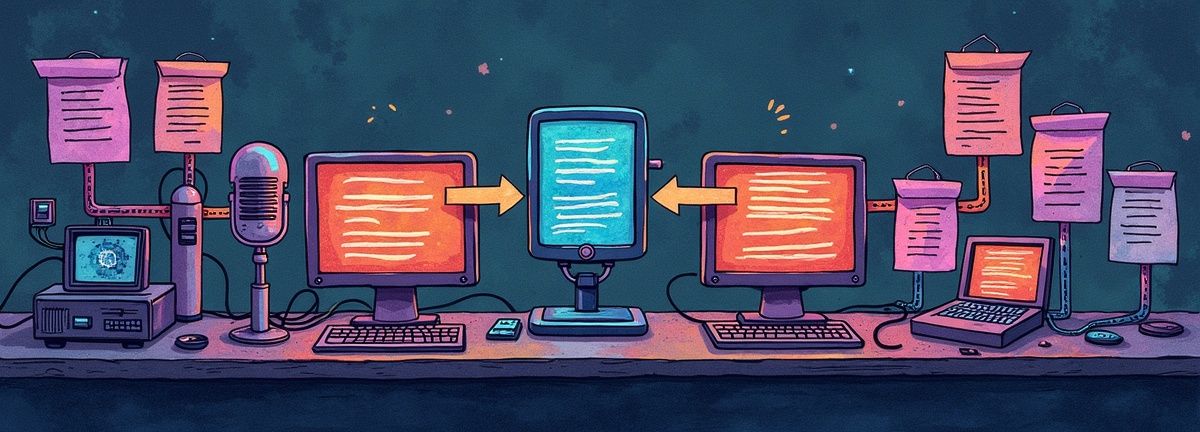
Here's the step-by-step process I use for AI content repurposing without creating obvious AI slop:
Step 1: Get Clean Content Transcription
Start by uploading your audio or video file to a quality transcription service. I upload my podcast episodes to Scriptivox and get word-level timestamps with speaker identification in minutes. For a 60-minute podcast episode, you'll have a complete transcript with precise timing data in about 3-4 minutes.
The word-level timestamps are crucial for the next steps. Instead of scrubbing through audio files to find specific quotes, you can jump directly to any moment using the transcript timestamps.
Step 2: Use AI Chat for Content Planning
Before repurposing anything, analyze your transcript structure. I use the AI chat feature to ask questions like:
- "What are the three main topics covered in this conversation?"
- "Which segments would work best as short-form video clips?"
- "What quotes or insights would make good social media posts?"
This planning step prevents the spray-and-pray approach where you create ten pieces of mediocre content instead of three pieces of great content.
Step 3: Extract Targeted Segments
Use the timestamps to extract specific segments for different formats. A 5-minute section about a specific technique might become a standalone blog post. A 30-second insight might become a Twitter thread. The precision of your initial transcription lets you grab exactly what you need without padding or cutting mid-sentence.
Step 4: Transform with Context
When you send segments to AI tools for transformation, include context about the original format and target audience. Instead of "turn this into a blog post," try "turn this podcast conversation between two marketing experts into a blog post for small business owners who are new to content marketing."
Step 5: Maintain Voice Consistency
The biggest giveaway of AI-repurposed content is voice inconsistency. Your podcast might be conversational and casual, but the AI-generated LinkedIn post sounds like a corporate press release. Review each piece to ensure it maintains the tone and personality of the original.
Choosing the Right Transcription Service for AI Repurposing
Your choice of transcription service significantly impacts your workflow efficiency. Here's how the major players compare for content creators:
Otter.ai
Excels at live meeting transcription and has solid collaboration features. However, their file upload limits and per-minute pricing can get expensive for creators processing hours of content monthly. The transcription accuracy drops noticeably with accents or technical terminology.
Rev
Offers human transcription services with high accuracy, but you'll pay $1.50 per minute and wait 24-48 hours. Their AI transcription is faster but less accurate than newer competitors. Good for one-off projects, impractical for regular content repurposing.
Descript
Combines transcription with video editing, which is powerful if you need both functions. However, their transcription service alone is overpriced compared to dedicated solutions. The interface can feel overwhelming if you just need text output.
Assembly AI
Provides solid API-first transcription with good accuracy rates. However, their interface isn't built for content creators who need planning and analysis features alongside basic speech-to-text conversion.
For content creators who prioritize speed, accuracy, and workflow integration, services with built-in AI analysis features offer the best combination. The ability to chat with your transcript and plan content strategy in the same platform eliminates workflow friction.
Five Specific Repurposing Strategies That Actually Work
1. The Quote Thread Strategy
Find 3-5 punchy quotes from your transcript using timestamp search. Turn each quote into a Twitter thread starter with 2-3 follow-up tweets explaining the context. This works because quotes feel authentic and threads drive engagement.
2. The Problem-Solution Blog Post
Identify a problem discussed in your content and the solution proposed. Use the transcript to pull exact quotes and explanations, then restructure them into a clear problem-solution narrative. Add your own introduction and conclusion to frame the content.
3. The Behind-the-Scenes LinkedIn Post
Take an interesting tangent or mistake from your original content and turn it into a "here's what I learned" LinkedIn post. People love seeing the thought process behind polished content.
4. The Educational Email Series
Break a long-form piece into 3-5 key points, then turn each point into a separate email with actionable advice. The transcript timestamps help you find natural breaking points.
5. The Visual Quote Card
Use compelling one-liners from your transcript to create quote cards for Instagram or LinkedIn. The word-level timestamps make it easy to find quotable moments without listening through hours of content.
Common Mistakes That Create AI Slop
After helping dozens of creators with their repurposing workflows, I've noticed patterns in what creates obvious AI content:
Starting with Poor Quality Transcripts
Auto-generated captions from social platforms are terrible source material. YouTube's auto-captions frequently miss technical terms and struggle with multiple speakers. Invest in proper transcription upfront.
Asking AI to Do Too Much at Once
Don't ask AI to "turn this 60-minute interview into a blog post." Break it into digestible chunks first. AI tools work best with focused, specific inputs.
Ignoring Platform-Specific Requirements
LinkedIn posts need different hooks than Twitter threads. Instagram captions need different structures than email newsletters. Each platform has its own content DNA.
Forgetting to Inject Personality
AI tends to flatten your unique voice. Always review and add back your specific turns of phrase and perspectives. Your audience follows you for your viewpoint, not generic advice.
Skipping the Editing Step
AI-generated content is a first draft, not a finished product. Edit ruthlessly. The most successful content marketers spend significant time editing and refining AI-generated drafts.
The Technical Setup for Scale
Once you've proven the workflow with manual processes, consider automation. Modern transcription APIs typically cost between $0.10-$0.30 per hour of audio and support webhooks for automated workflows.
For example, you could set up an automation that:
- Transcribes new uploads automatically
- Sends summaries to your project management tool
- Creates draft social posts based on key quotes
- Notifies your team when content is ready for review
This level of automation makes sense once you're processing 10+ hours of content monthly. The Scriptivox API charges $0.20 per hour with webhook support, making it cost-effective for creators scaling their content operations.
What Actually Separates Good Repurposing from Slop
The difference between content that works and content that feels AI-generated comes down to three factors:
Specificity
Good repurposed content includes specific details, examples, and context from the original. Generic advice could have come from anywhere. The best pieces always reference specific moments, quotes, or insights from the source material.
Voice Consistency
Each piece should sound like it came from the same person, even across different formats and platforms. This requires maintaining your unique perspective and language patterns throughout the transformation process.
Purpose Alignment
Every repurposed piece should have a clear purpose and target audience. Random content creation is just noise. Research from HubSpot shows that focused content consistently outperforms generic content across engagement metrics.
The foundation of any slop-free guide to AI content repurposing isn't about avoiding AI tools. It's about using them strategically, starting with clean guide transcription and maintaining editorial standards throughout the process.
Measuring Success in Your Content Repurposing Workflow
Track these metrics to ensure your repurposing efforts are working:
Time Savings
How much faster is your new workflow compared to manual transcription and planning? A good repurposing transcription workflow should cut content creation time by at least 60%.
Engagement Rates
Do repurposed pieces perform as well as original content on each platform? Track clicks, shares, comments, and saves across all formats.
Content Velocity
How many high-quality pieces can you create from one source in a week? Aim for 3-5 substantial pieces from each long-form source.
Voice Consistency Scores
Ask your audience if they can tell which content was repurposed versus created fresh. If they can consistently tell the difference, your process needs refinement.
The goal isn't to replace human creativity but to amplify it. When you start with accurate transcription and thoughtful planning, AI becomes a powerful multiplier for your content efforts.
Getting Started with Your First Repurposing Project
Pick one substantial piece of existing content (30+ minutes) and work through this entire process manually first. You'll quickly identify which steps create bottlenecks and where automation would help most.
Start by testing the workflow using a quality transcription service to establish your baseline. Upload a sample file to Scriptivox, analyze the accuracy and timestamp precision, then practice the extraction and transformation steps. The investment in quality transcription pays for itself in time savings and better AI output.
Building Your Slop-Free System in 2026
Remember: the best content repurposing feels intentional, not automated. Your audience should discover new value in each format, not feel like they're consuming the same content in a different wrapper.
This transcription-first approach requires patience initially. The workflow takes longer at first but creates a foundation for consistent, high-quality output. As you refine your process, you'll develop instincts for which segments work best for each platform and how to maintain your voice across transformations.
Start small, measure results, and gradually increase your content velocity. The creators who master this slop-free guide to AI content repurposing will have a significant advantage as AI tools become more sophisticated and content volume continues to increase across all platforms. According to McKinsey, organizations that excel at content repurposing see 3x higher engagement rates compared to those relying solely on original content creation.
Building an effective AI content repurposing system starts with quality content transcription. When you invest in the right tools and processes upfront, every piece of content becomes a valuable asset that can serve your audience across multiple platforms and formats.
Transcription Service Comparison for Content Creators
| Service | Strengths | Weaknesses | Best For |
|---|---|---|---|
| Otter.ai | Live meeting transcription, collaboration features | File upload limits, expensive per-minute pricing | Live meetings |
| Rev | High accuracy human transcription | $1.50 per minute, 24-48 hour wait | One-off projects |
| Descript | Combines transcription with video editing | Overpriced for transcription alone, overwhelming interface | Video editing needs |
| Assembly AI | Good API-first transcription, solid accuracy | Not built for content creators, lacks planning features | API integration |
Frequently Asked Questions
About the author

Abhishek co-founded Scriptivox and built its early optimization and scalability layer — the part that turns a working transcription tool into one that holds up under real load. Today he leads growth and marketing at Scriptivox. He writes about transcription accuracy, multi-language coverage, and what it takes to build an AI transcription product that stays fast and reliable as it scales.