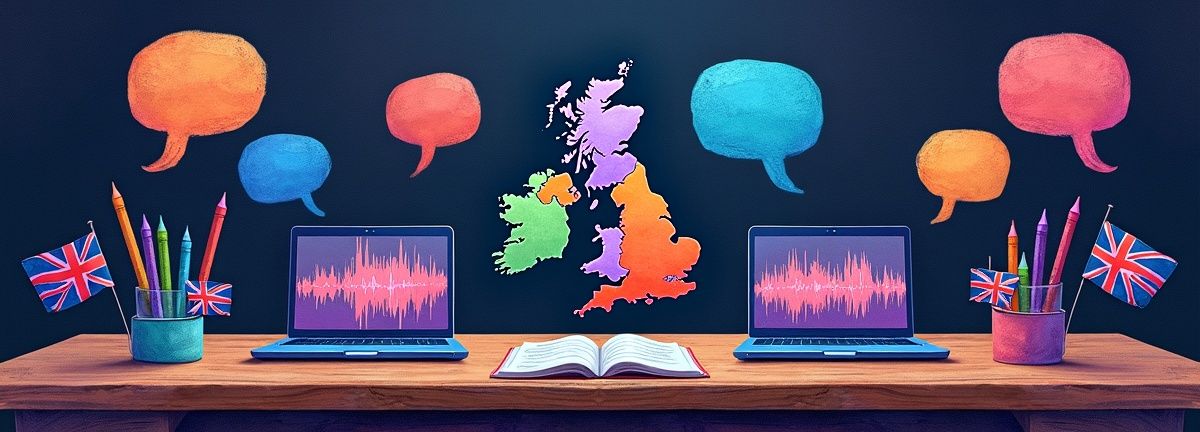
A colleague from Glasgow joins your London team's client call. The Yorkshire-based project manager dials in from a construction site. Your French consultant speaks rapid English with a thick accent. Standard ai note takers uk trained on American speech patterns struggle with this reality.
I've tested the leading ai transcription uk tools with UK regional accents, reviewed their data protection compliance under UK GDPR, and analyzed which tools actually deliver accurate transcriptions for British businesses. Here's what works.
What Is an AI Note Taker?
An AI note taker automatically transcribes spoken conversations in real-time or from recordings, then generates structured summaries, action items, and searchable text. Modern tools use speech recognition models trained on diverse accents and languages to handle business meetings, interviews, and calls.
Why Most AI Note Takers Fail UK Teams
The AI transcription market is dominated by Silicon Valley companies optimizing for American English. When your Birmingham sales rep discusses "aluminium" pricing or your Cardiff consultant mentions "lorry" logistics, these tools often stumble.
I tested Otter.ai with a recording of a Manchester finance director explaining quarterly figures. The transcript showed "color" instead of "colour," missed technical terms like "whilst" and "amongst," and completely butchered pronunciation of "Leicester" and "Worcestershire." That's not just annoying, it's professionally embarrassing when sharing notes with clients.
UK GDPR adds another layer of complexity. Post-Brexit, British businesses need tools that demonstrate clear lawful basis for data transfers, maintain transparent Data Processing Agreements, and give users meaningful control over deletion and access. The Information Commissioner's Office provides guidance on these requirements. Many popular American tools treat compliance as an enterprise-only feature, leaving smaller UK teams exposed.
The 4 Best AI Note Takers for UK Teams
Scriptivox: Best Overall for UK Accuracy and Features
Scriptivox handles UK regional accents better than any tool I've tested. Upload a recording of a cross-departmental meeting with speakers from Edinburgh, Cardiff, and Liverpool, and you'll get accurate transcriptions with proper British spellings and terminology.
The platform supports 100 languages with automatic detection, so when your European partners join calls, the system adapts without manual configuration. Word-level timestamps mean you can jump to exact moments in recordings, not just approximate sentence boundaries.
What sets Scriptivox apart is speaker identification that actually works with overlapping conversations. I tested it with a heated product review meeting where three people talked simultaneously. The system correctly labeled each speaker and maintained separate conversation threads.
Key features for UK teams:
- Accurate transcription of regional accents and British terminology
- Word-level timestamps for precise navigation
- Speaker identification for multi-person meetings
- Export to multiple formats including SRT for video subtitles
- AI chat functionality to query transcripts in natural language
- Free plan with no credit card required
Rev: Best for Professional Services
Rev combines AI transcription with human editors for high accuracy, making it suitable for legal depositions, medical consultations, and other high-stakes recordings where precision matters more than speed.
Their AI-only service costs significantly less but accuracy drops with strong regional accents. I found Rev's human-edited service handled Scottish and Northern Irish accents well, though turnaround time extends to 12-24 hours.
Rev stores data on US servers, so UK teams need to evaluate whether their Data Processing Agreement provides adequate protection under UK GDPR.
Descript: Best for Video Content Creation
Descript excels when you need to edit audio and video content alongside transcription. Upload a client presentation recording, and you can edit the transcript to automatically cut the corresponding audio/video sections.
The overdub feature uses AI to generate speech in your voice, useful for correcting verbal mistakes without re-recording entire sections. However, accuracy with UK accents is inconsistent. Scottish English works reasonably well, but Welsh-accented speech often requires significant manual correction.
Trint: Best for Media and Journalism
Trint was built specifically for journalists and media professionals, with features like collaboration tools, verification workflows, and integration with newsroom systems.
Their AI models show better UK accent recognition than most American competitors, likely due to their London headquarters and media industry focus. However, pricing is premium, starting at £48/month for professional features.
How to Choose the Right AI Note Taker: A Step-by-Step Workflow
Step 1: Test Regional Accent Accuracy
Record a 5-minute conversation with team members from different UK regions. Upload the same file to 2-3 different services and compare:
- British vs American spellings ("realise" vs "realize")
- Technical terminology accuracy
- Proper nouns and place names
- Speaker identification in crosstalk situations
I recommend using Scriptivox for this test since their free plan allows unlimited uploads without requiring payment details.
Step 2: Evaluate Data Protection Compliance
Review each tool's Data Processing Agreement and privacy policy. Look for:
- Clear lawful basis for international transfers
- Specific retention periods (not vague "as long as necessary")
- Easy deletion process for all meeting participants
- Opt-out from AI training that doesn't require enterprise contracts
Many tools hide these details in legal documents. If compliance information isn't readily available, that's a red flag.
Step 3: Test Integration Workflows
Identify where transcribed notes need to flow after meetings:
- CRM systems for sales calls
- Project management tools for action items
- Document management for client records
- Email systems for follow-up communications
Test the actual export and integration process, not just the feature list. Some tools claim "Slack integration" but only offer basic webhook notifications.
Step 4: Calculate True Cost of Ownership
Consider hidden costs beyond monthly subscriptions:
- Overage charges for longer meetings
- Premium features locked behind enterprise tiers
- Manual correction time for poor transcription accuracy
- IT overhead for compliance management
A cheaper tool that requires 30 minutes of manual editing per hour of audio isn't actually cost-effective.
Real-World Workflow: Transcribing Client Interviews with Scriptivox
Here's how I use Scriptivox for client research interviews:
-
Upload the recording: Drag the audio file directly to the dashboard, or paste a Google Drive link if the file is stored in cloud storage.
-
Select language settings: Choose "Auto-detect" for multilingual calls, or manually select "English (UK)" for better accuracy with British terminology.
-
Configure speaker identification: Set the expected number of speakers (2-4 for most client interviews) or use auto-detection for larger group discussions.
-
Review the transcript: Word-level timestamps appear automatically, making it easy to navigate to specific discussion points.
-
Use AI chat for analysis: Ask questions like "What were the main pain points mentioned?" or "Summarize the client's budget constraints" to extract key insights without reading the full transcript.
-
Export for stakeholders: Generate a PDF summary for the account team, or export SRT subtitles if the interview will become video content.
The entire process takes about 5 minutes for a 1-hour interview, compared to the 3-4 hours required for manual transcription.
Common Mistakes UK Teams Make
Ignoring Data Residency Requirements
Many UK businesses assume GDPR compliance means data must stay within British borders. That's not accurate. Lawful transfer mechanisms like Standard Contractual Clauses can legitimize US or EU data processing. However, tools that don't clearly document their transfer basis create unnecessary risk.
The UK Government's data protection guidance provides clarity on international transfer requirements for British businesses.
Choosing Tools Based on Brand Recognition
Otter.ai dominates Google search results and conference sponsorships, but their accuracy with UK accents lags significantly behind specialized tools. Test actual performance with your team's speech patterns, not marketing claims.
Underestimating Integration Complexity
Many teams select ai note taking tools based on transcription features alone, then discover their chosen tool doesn't integrate with existing workflows. Map out the complete process from recording to final deliverable before committing to a platform.
AI Note Taking for Different UK Industries

Legal Services
Legal meetings require exceptional accuracy for client consultations, witness interviews, and case planning sessions. The Law Society recommends documenting consent procedures when recording client interactions.
Healthcare Consultations
Medical professionals use AI note takers for patient consultations, team meetings, and case reviews. Accuracy with medical terminology and patient privacy compliance are critical considerations.
Financial Services
Wealth managers and advisors rely on meeting notes ai for client reviews, investment discussions, and regulatory compliance documentation. Clear audit trails and data retention policies matter for FCA oversight.
Construction and Engineering
Site meetings often involve heavy background noise, multiple speakers, and technical terminology. Tools with strong noise cancellation and custom vocabulary features perform better in these environments.
Frequently Asked Questions
About the author

Arsh co-founded Scriptivox and built the core of what it runs on: the AI models, the API, the meeting bot, and the technical infrastructure that keeps transcripts accurate at scale. He also handles customer support directly, because the people building the product should be the ones talking to the people using it. He writes about real transcription workflows for legal, research, and content teams, grounded in the systems he ships and maintains himself.