May 10, 2026
Speech to Text for Voice Agents: Real-Time Streaming Guide
Learn how to choose and implement streaming speech-to-text for voice agents that feel natural. Compare providers, optimize accuracy, and avoid common STT pitfal...
Build production-ready voice agents with accurate speech to text. Real implementation guide covering streaming transcription, entity recognition, and testing.

I've seen developers spend weeks debugging voice agents that work perfectly in demos but fail the moment someone has an accent, talks over background music, or says a phone number. The difference between a prototype and production isn't the LLM layer. It's how accurately you capture what people actually say.
Building voice agents means solving three problems: listening (speech to text), thinking (language model), and responding (text to speech). Most tutorials focus on the thinking part because it's exciting. But if your speech to text layer misses "cancel my order for item SKU-4471" as "cancel my water for item issue 4471," your perfect prompt engineering doesn't matter.
Voice agents are AI systems that conduct real-time spoken conversations by combining speech to text transcription, language model processing, and text to speech synthesis into a continuous loop.
Every voice agent tutorial follows the same pattern: connect three APIs together, show a working demo, declare victory. The problem is that "working" in a quiet room with clear speech isn't the same as working when your customer calls from a busy airport.
I've tested this with our meeting recording system at Scriptivox. Clean audio with native English speakers? Any decent speech to text API works fine. Add background noise, multiple speakers talking over each other, or technical terms, and you see the real differences between transcription engines.
The failure modes matter more than the happy path. When someone says "My account number is 4-4-7-1-alpha-9-2," does your system capture that exactly? Or does it give you something close that breaks your downstream logic?
The speech to text layer determines whether your voice agent feels magical or frustrating. Here's what separates production-ready transcription from demo-quality transcription.
Batch processing buffers the entire utterance before transcribing. Streaming transcription processes audio in real-time as it arrives. For voice agents, streaming is non-negotiable. Nobody waits ten seconds after finishing their sentence to hear a response.
Streaming adds complexity. You need to handle partial transcripts, detect when someone stops talking (turn detection), and manage interruptions gracefully. Not all speech to text APIs handle this well.
Voice agents often need to capture structured data: names, addresses, phone numbers, account IDs, medical terms. These entities break traditional speech recognition models because they don't follow natural language patterns.
"My name is Kowalski, K-O-W-A-L-S-K-I" should produce "Kowalski" in your transcript, not "my name is kowalski ko was key." Same with phone numbers, email addresses, and product codes. When your speech to text system fails on entities, your entire agent workflow breaks.
Building for English only works until it doesn't. Even US-focused businesses deal with accented English, code-switching between languages, and names from other languages. Your speech to text needs to handle this gracefully or you'll exclude entire customer segments.
Real multilingual support means more than just accepting different languages. It means handling mixed-language conversations, detecting language automatically, and maintaining accuracy across different accents within the same language.
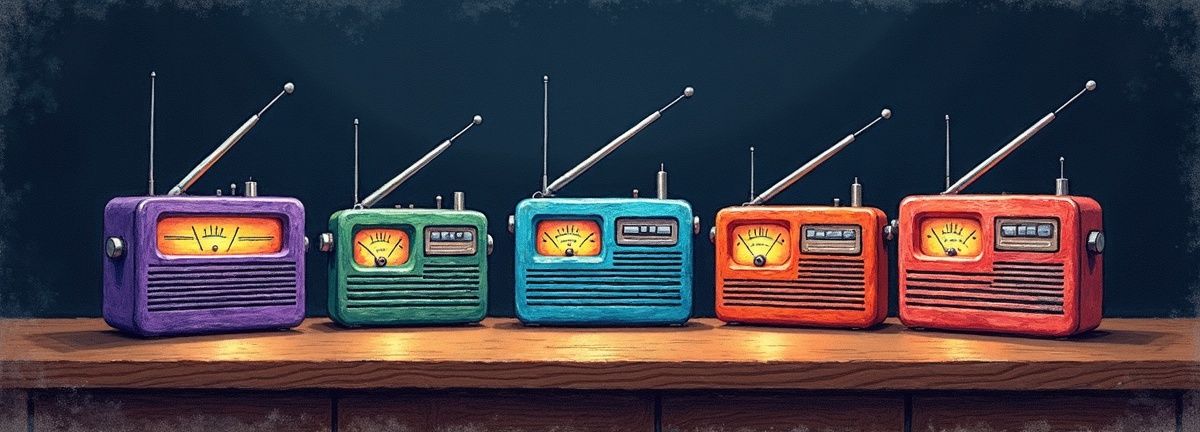
Let me walk through the speech to text landscape based on what I've actually tested for voice agent workflows.
OpenAI's Whisper model is incredibly accurate for batch transcription. The newer Realtime API handles streaming conversations end-to-end, combining speech to text, language model processing, and text to speech in one WebSocket connection.
Strengths: Excellent accuracy on clean audio, built-in conversation management, single API to manage instead of three separate services.
Weaknesses: Higher cost for high-volume applications, less control over individual pipeline components, newer API with less production testing.
Rev and Trint focus primarily on batch transcription with human review options. Both offer API access but weren't designed primarily for real-time voice agent applications.
Strengths: High accuracy with human review options, good for transcription workflows that can tolerate latency.
Weaknesses: Not optimized for real-time streaming, higher cost per hour, limited customization for voice agent-specific needs.
Otter.ai excels at meeting transcription with speaker identification and summary generation. Their API supports real-time transcription but the service is optimized for meeting contexts rather than interactive agents.
Strengths: Excellent meeting-focused features, good speaker separation, built-in summary generation.
Weaknesses: Less accurate on phone audio quality, meeting-focused rather than agent-focused, limited customization options.
Scriptivox handles the transcription piece differently than the others. Instead of trying to be an end-to-end voice agent platform, we focus specifically on getting the speech to text layer right. You can use our API for the transcription component while choosing your own language model and text to speech providers.
Our streaming transcription supports 100 languages with word-level timestamps and speaker identification. The API pricing is straightforward: $0.20 per hour of audio with per-second billing precision. For a voice agent handling 5-minute conversations, that's about 2 cents per interaction just for transcription.
The advantage is accuracy on the entities that matter: phone numbers, addresses, technical terms, and names. When your voice agent needs to capture "My order number is SKU-dash-4471-alpha," you get exactly that in the transcript.
Let me show you how to build a voice agent that actually works in production. This isn't a toy demo. It's the architecture we use for handling real customer conversations.
Start with the transcription foundation. You need a speech to text service that can handle streaming audio and provide accurate timestamps.
With Scriptivox, you'd upload your audio file or paste a meeting recording URL to get time-stamped transcription. For real-time streaming, you'd use our API to process audio as it arrives.
The key is getting word-level timestamps, not just sentence-level. When someone says "Cancel my order," you need to know exactly when they said "cancel" versus when they said "order." This timing data helps with interruption handling and response timing.
Turn detection determines when someone finishes speaking and expects a response. This is harder than it sounds. People pause mid-sentence to think. They trail off. They get interrupted by background noise.
Effective turn detection combines multiple signals: silence duration, natural language completion patterns, and audio energy levels. A simple timeout isn't enough. You need context-aware detection that understands conversation flow.
Once you have a complete utterance, send it to your language model. This is the straightforward part that most tutorials focus on. Use OpenAI, Anthropic, or any other LLM API with appropriate system prompts for your use case.
The trick is maintaining conversation context without letting the context window grow infinitely. Implement conversation summarization or sliding window approaches to keep responses relevant while managing costs.
Text to speech is the final step, but timing matters. Start generating audio immediately when the language model begins responding, not after it finishes. Stream the audio back as it's generated to minimize perceived latency.
Popular options include ElevenLabs, Amazon Polly, and Google Cloud Text-to-Speech. Each has different voice options, pricing models, and latency characteristics. Test with your specific use case to find the right balance.
This is where most projects fail. Testing with clean microphone audio in a quiet room doesn't reveal the problems your users will face. Test with:
Run these tests early and often. The issues you discover here determine whether your voice agent works in production or just in demos.

After watching dozens of voice agent implementations, I see the same mistakes repeatedly.
Building for perfect audio conditions means your agent breaks the moment real users try it. Always test with realistic audio: phone quality, background noise, accented speech.
Each step in your pipeline adds latency. 200ms for speech to text, 800ms for language model processing, 300ms for text to speech generation. That's 1.3 seconds before the user hears a response, which feels sluggish in conversation.
Optimize each step, but also look for opportunities to pipeline operations. Start text to speech generation while the language model is still generating tokens.
What happens when your speech to text API goes down? When the language model returns an empty response? When text to speech fails? Most implementations assume everything works perfectly.
Build graceful degradation: fallback transcription options, error responses that keep the conversation going, retry logic that doesn't create awkward silences.
When your voice agent captures a phone number or email address, validate it immediately. Don't wait until later in your workflow to discover that "john at gmail dot com" should be "john@gmail.com" or that "five five five one two one two" should be "555-1212."
Testing voice agents requires different approaches than testing traditional software. You're dealing with audio processing, real-time constraints, and subjective quality measures.
Create a test suite of audio samples covering your expected use cases. Include clean speech, noisy environments, different accents, and edge cases like overlapping speech or background music.
Measure word error rate (WER) on your specific domain vocabulary. A general-purpose speech to text system might achieve 95% accuracy overall but only 80% on your industry-specific terms.
Measure end-to-end response time from when someone stops talking to when they hear the agent's response. Aim for under one second for natural conversation flow.
Break down latency by component: speech to text processing time, language model response time, text to speech generation time. This helps you identify bottlenecks.
Voice agents often need to handle multiple concurrent conversations. Test your system under realistic load conditions. Can it handle 10 simultaneous calls? 100? Where does performance degrade?
| Provider | Strengths | Weaknesses |
|---|---|---|
| OpenAI Whisper/Realtime API | Excellent accuracy, built-in conversation management, single API | Higher cost, less control, newer API |
| Rev and Trint | High accuracy with human review, good for transcription workflows | Not optimized for real-time, higher cost, limited customization |
| Otter.ai | Excellent meeting features, good speaker separation, built-in summaries | Less accurate on phone audio, meeting-focused, limited customization |
| Scriptivox | 100 languages, word-level timestamps, entity accuracy | Transcription-focused rather than end-to-end platform |

Arsh co-founded Scriptivox and built the core of what it runs on: the AI models, the API, the meeting bot, and the technical infrastructure that keeps transcripts accurate at scale. He also handles customer support directly, because the people building the product should be the ones talking to the people using it. He writes about real transcription workflows for legal, research, and content teams, grounded in the systems he ships and maintains himself.
May 10, 2026
Learn how to choose and implement streaming speech-to-text for voice agents that feel natural. Compare providers, optimize accuracy, and avoid common STT pitfal...
May 22, 2026
Build voice agents that actually work in production. Learn why speech-to-text accuracy determines function calling success, plus real implementation strategies.

Jun 12, 2026
Learn to build IT support voice agents that accurately transcribe ticket numbers, error codes, and technical terms while integrating with ITSM systems.

Jun 12, 2026
Compare 5 proven methods to transcribe audio files in 2026: AI platforms, built-in tools, professional services, APIs, and open source options.

May 21, 2026
Learn how to securely deploy AI notetakers across your enterprise. Complete guide covering compliance, shadow IT risks, and step-by-step implementation.

May 10, 2026
Learn how to migrate transcripts from Otter.ai to more powerful platforms. Step-by-step guide with platform comparisons and workflow optimization tips.